
· From the counter
Why Is My PS5 Overheating? 5 Signs It Needs a Cleaning
A lot of the consoles that come across my counter aren't broken, they're just choking on dust. A PS5 pulls air through it all day long, and after a couple of years that dust packs into the heatsinks and the console can't get rid of its heat anymore. Here's how to tell if yours is getting there.
1. It shuts off in the middle of a game
This is the big one. The console runs fine on the menu, then a few minutes into something demanding it just turns off. That's the PS5 protecting itself because it's running too hot.
2. The fan is way louder than it used to be
If your PS5 used to be quiet and now it sounds like a jet engine, the fan is working overtime to push air through dust. A fan that's starting to fail can get loud too.
3. You get an overheating warning on screen
Both the PS5 and the Xbox will put an overheating warning on the screen before they shut themselves off. If you've seen that message, take it seriously. It's telling you the cooling can't keep up.
4. It's blowing out a lot of hot air
The PS5 always pushes out warm air from the back. But if the air coming out is really hot and the console feels hot to the touch, the heat isn't moving through it the way it should.
5. You can see dust in the vents
Shine a flashlight into the vents. If you can see dust from the outside, there's a lot more inside where you can't see it.
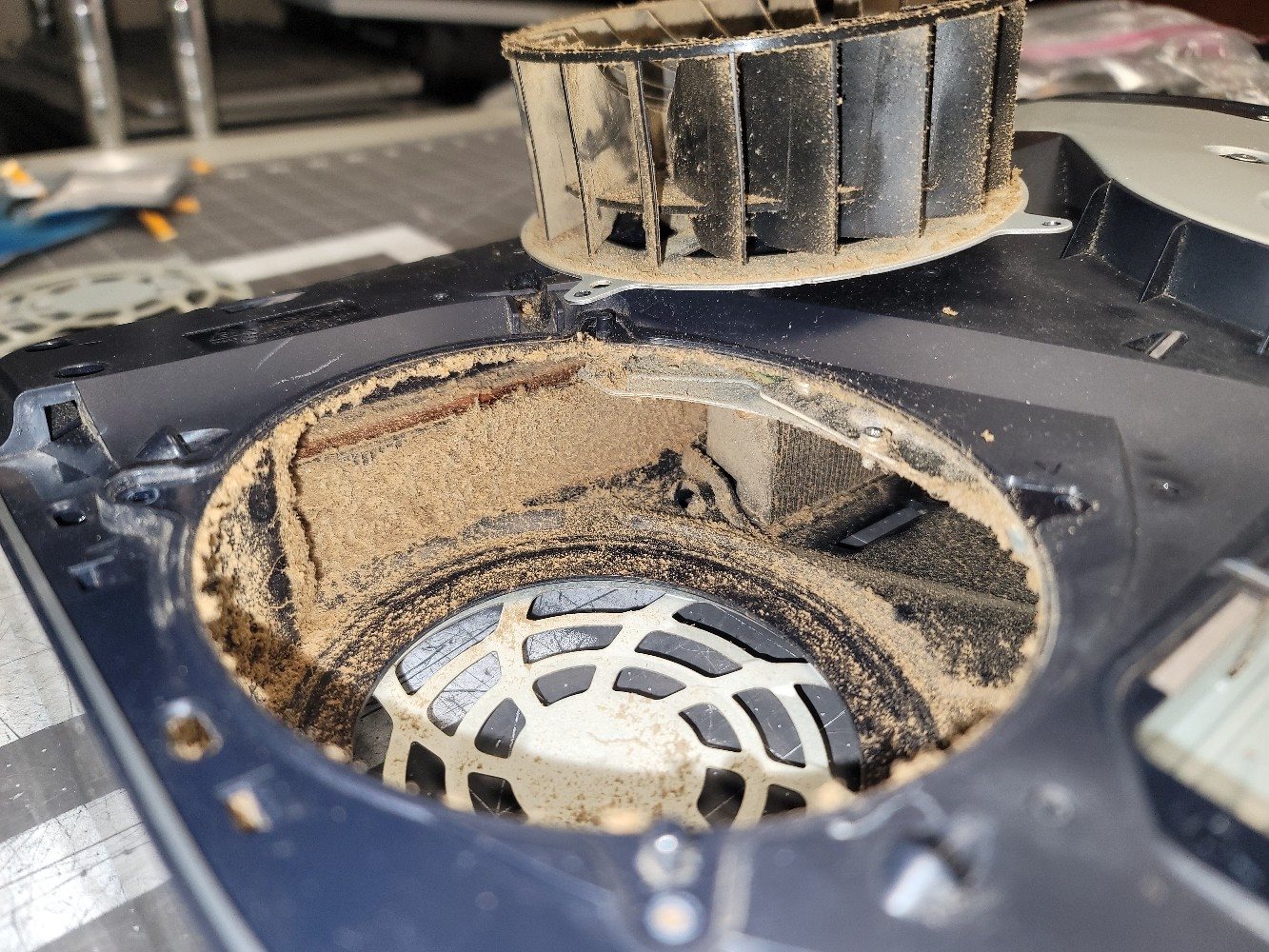
What I find when I open one up
Most of the time it's dust packed into the cooling. Sometimes it's a fan that's failing, or a fan plug that came loose on the board.
The PS5 also uses liquid metal instead of regular thermal paste between the processor and the heatsink. On a PS5 Slim I worked on recently, the liquid metal had a dry spot on the processor. I cleaned it up and polished the surfaces so it could keep running cool.
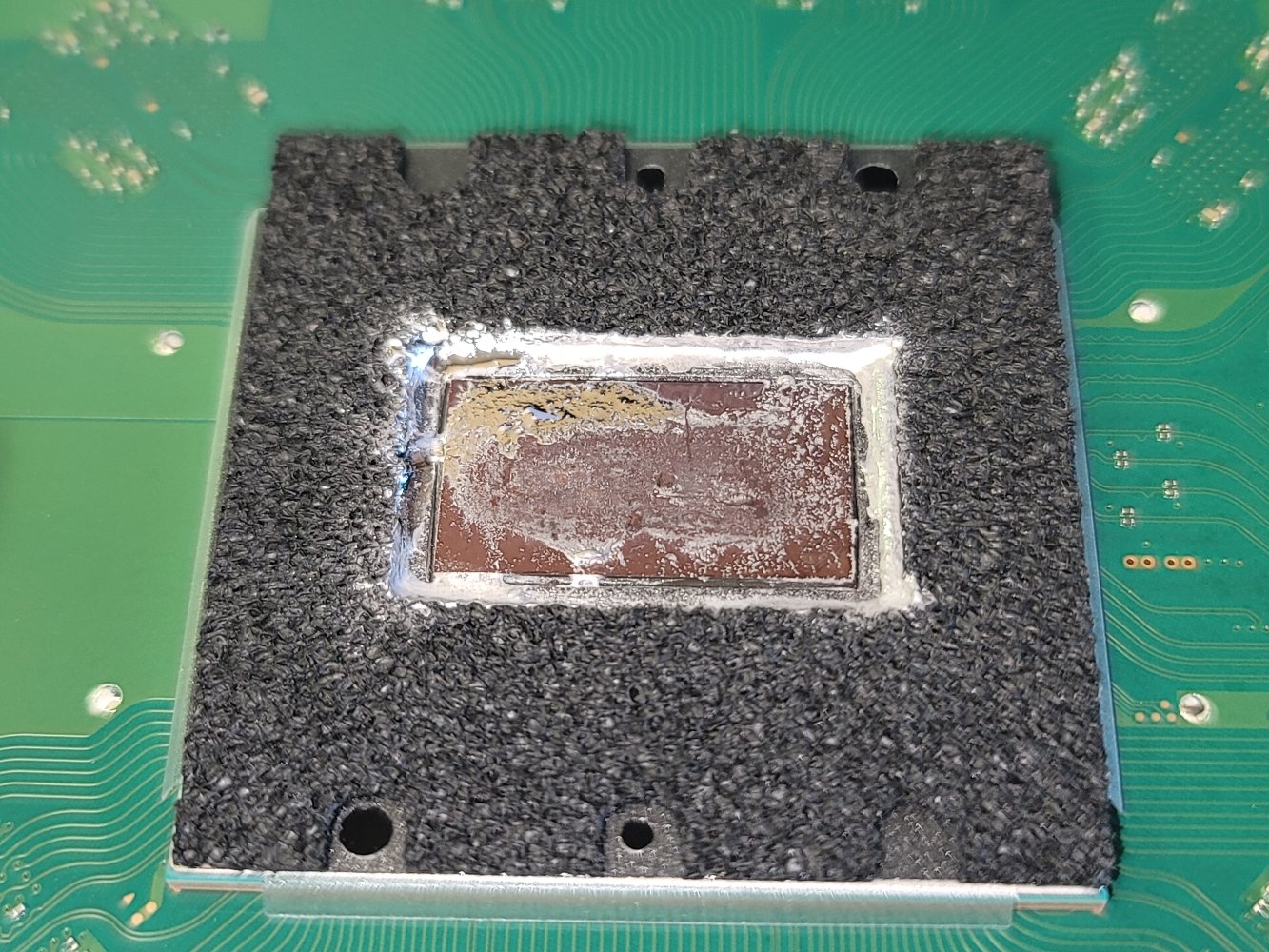
What's in a tune-up
This isn't just blowing some air in the vents. I take the console apart and:
- clean the fans and heatsinks
- clean out the power supply
- clean up and fix the liquid metal on the processor
A tune-up is $90, and it's the same price on any console, PS5, PS4 or Xbox. The work itself usually takes under a couple of hours. Text me before you bring it in and I'll let you know how soon I can get to it.
If the fan is bad
Sometimes cleaning isn't enough because the fan itself is going out. I can replace it. A fan replacement is $75 in labor plus the part, and the part usually runs around $25. If I find a bad fan or anything else while I'm in there, I'll tell you what I found and what it costs before I do any extra work.
And don't worry about your games. Cleaning and fan work don't touch your storage, so your games and saves stay right where they are.
How often should you get it cleaned?
About once a year is a good rule. If anyone in the house smokes, sooner than that.
A tip to keep it cool
The biggest thing I see is consoles that can't breathe. Don't keep it in a closed cabinet or an enclosure, and don't push the back right up against the wall. The hot air coming out the back needs somewhere to go, or the console just pulls it right back in.
PS5 shutting off or running loud? Text me or give me a call — I'm in Columbia, open Tuesday–Thursday 8:00am–4:30pm, Friday until 3:30pm.